
Visuals determine the success of your e-learning
Research shows that visuals are processed faster and are more memorable than text, provided they are chosen carefully.

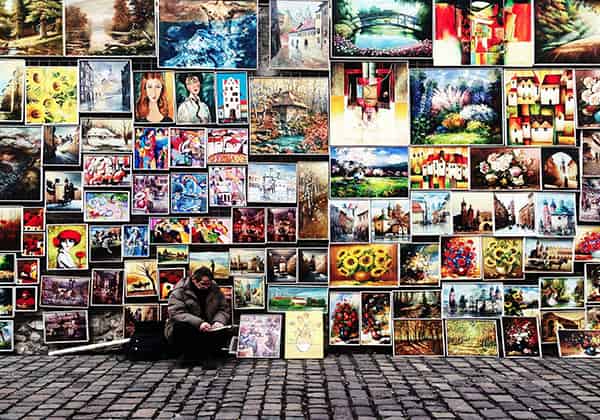
Suppose you are creating an e-learning course and want to explain a physical process. Do you choose text alone, or text with images? The latter, of course. An image, chart, or photo can sometimes clarify in an instant what would otherwise take three paragraphs to explain. Just think of that famous proverb (yes, the one about a thousand words). But there are more good reasons to choose images.
The benefits of visuals
- Visuals are more memorable. The likelihood that a student will remember specific information a few weeks later is much higher if you use visuals rather than just words. This is supported by various studies and is known as the ‘picture superiority effect’.
- Visuals are fast. We can recognize and process an image in just 13 milliseconds—that’s one-eightieth of a second! For comparison, it takes us 6 seconds to process 20-25 words.
- Visuals motivate. Images make text more attractive and lively, which keeps readers motivated to continue reading
Choose your images carefully
Significant benefits, then, but this doesn't apply to all visuals. If you add random images, you risk confusing, annoying, or unnecessarily distracting your students. Therefore, invest in images that actually serve a purpose. Here are some tips to keep in mind:
- Relevance. For some information, words remain more practical. Think, for example, of an abstract concept like ‘immediately’. ‘Nice’ pictures used for decoration or flair only create noise. Therefore, only add images that complement or replace the information in the text. Also, consider the background of your students, such as their age, education level, and profession. For instance, if you are talking about efficient communication and your target audience consists of consultants, a photo of two supermarket cashiers chatting is not exactly relevant. Ask yourself with every image you use: does this image add value to the material? And does it leave the impression I want to leave?
- Clarity. Only use images where it is immediately clear what you are looking at. Avoid making readers guess what you mean by them.
- Emotions. Visuals have great potential to evoke emotions. Emotions are a perfect tool for learning: they ensure that your students feel more engaged with the course and remember the images better. Do you want to pique their interest? Choose a humorous or surprising image. Do you want to prompt them to take action? Select an image that evokes sadness or anger. However, opt for ‘subtle’ images; they come across as much more credible.
- Copyright. Did you get the image from the internet and don't know the photographer, illustrator, or graphic designer? Most are fine with you using their work if you ask for permission in advance and include a link to their portfolio.
- Quality. Ensure the photo or illustration you use is large enough and that you don't see pixels or blurriness. A good photo is not only more attractive but also comes across as much more professional.
- Loading time. If the photo is too large, your course will load more slowly on computers. Most photo editing programs have a ‘Save for web’ option that helps you avoid this problem.
Where can you find good visuals?
With these criteria, most images you find via Google are ruled out. Fortunately, there are dozens, if not hundreds, of specialized sites for good photos, illustrations, and other visual material for your e-learning course. You pay for some of them, while others are free. The paid versions usually have extra search functions and a larger collection. The free sites usually work with the Creative Commons license. This means you can use the image for free as long as you credit the creator. Paid sites often ask you to credit the creator as well.
Five gold mines for e-learning visuals
These sites have an extensive collection of professional images. So, there is a good chance you will find what you are looking for. Tip: write down in advance what the image you are looking for for your e-learning course needs to meet. What should it depict, and what emotions do you want it to evoke? This allows you to search more effectively and prevents you from being overwhelmed by the options:
- Shutterstock (paid): photos, illustrations, charts, and more
- iStockphoto (paid): photos, illustrations, charts, and more
- Pexels (free): photos
- Unsplash (free): photos
- Freepik (free): photos, illustrations, and more
With Pluvo, you can easily add images. Ready to get started?
Schedule a call.

Keep reading
Get inspired by our other blog posts